How’s the Job · job progress updates for trades
Text your customer
one link.
They watch the job happen.
Job updates for tradespeople, without the “any update?” texts. Photos, progress and status on one page — nothing to install, no account. Free to use, and always free for your customer.
No card needed.
What your customer gets
See the full example →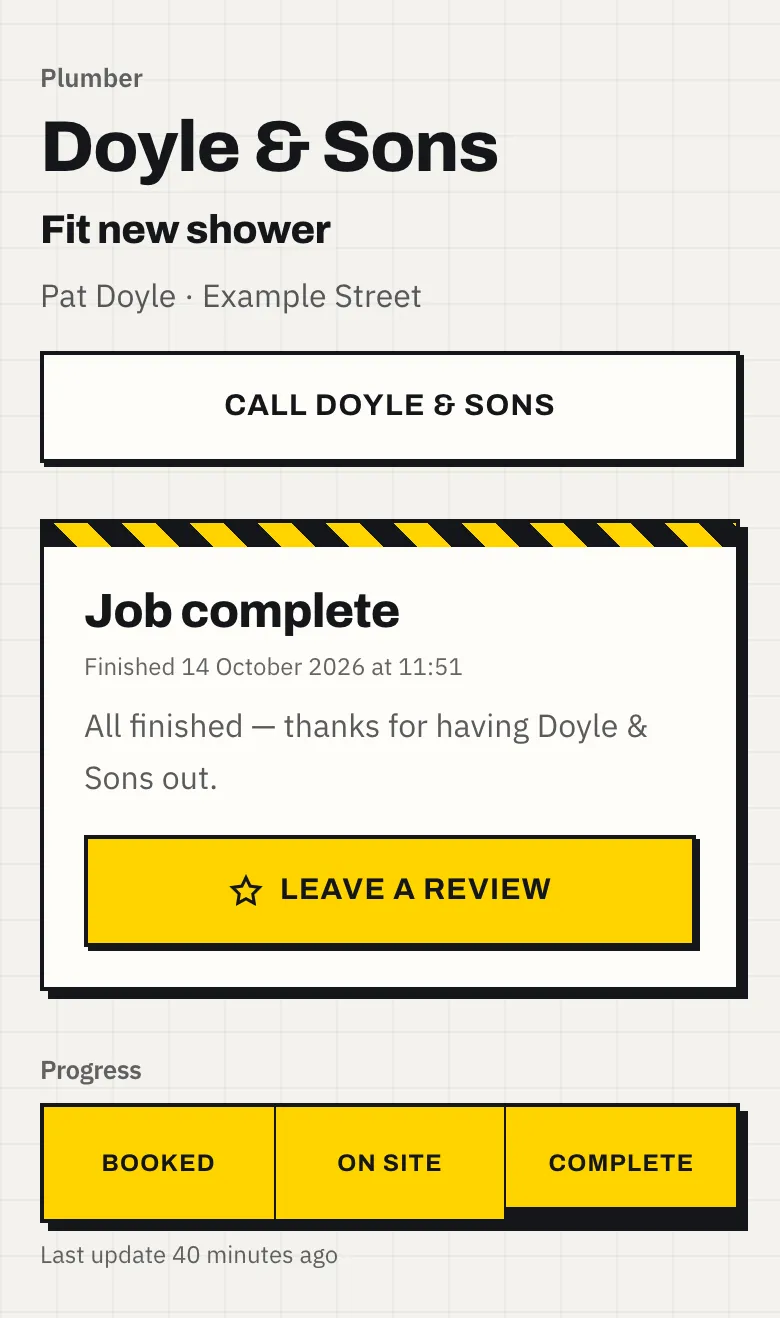
How it works
Add the job
What it is, who it's for. Fifteen seconds between calls.
Snap as you go
Photos and updates straight from the phone.
Text the link
They watch it happen. No app, no login, no chasing.
Questions tradespeople ask
Is it really free?
Yes. How’s the Job is free to use for tradespeople, with no card needed to sign up, and it is always free for your customer, who never makes an account or installs anything. There are no adverts, and we never sell your data or your customers’ details.
What does my customer see?
One page, on their own phone: your business name and number, what the job is, a three-step progress bar, and every photo and update you have posted, newest first. It refreshes itself when you post, so they never have to text to ask. See an example job page.
Who can see the job page?
Only people who have the link. Each link is random and hard to guess, and it is kept out of search engines. The page shows the job and its address but never your customer’s name or phone number — those stay in your account. Read the privacy policy for the detail.
Which trades is it for?
Anyone doing a job for a customer who wants to know how it is going. The progress bar speaks your trade: on-site trades show Booked, On site and Complete; workshops show Dropped off, In workshop and Ready to collect; removals show In transit and Delivered. See it for plumbers, electricians, decorators, gardeners, removals crews, repair shops, builders, roofers, heating engineers, kitchen and bathroom fitters, landscapers and mobile mechanics, or every trade on the list.
Why not just send photos on WhatsApp?
Photos sent over WhatsApp or text end up scattered through a chat, mixed in with everything else, with no sense of where the job has got to. A job link keeps the whole job on one page, in order, with its stage at the top. Your customer can forward it to a partner or a landlord, and every one of them sees the same up-to-date page. The longer answer.
Does it replace Tradify or ServiceM8?
No. How’s the Job doesn’t do quotes, invoices or scheduling, so it sits alongside whatever you use for those. Keep running the job in your usual software and text the customer a link to follow its progress. How it compares.
Do I need to install an app?
No. It runs in your phone’s browser, and you can add it to your home screen so it opens like an app. Photos are usually shrunk on your phone before they upload, so posting works on a weak signal from a loft or the bottom of a garden.
At a glance
- Free to use for tradespeople, with no card needed to sign up.
- Always free for the customer, who installs nothing and makes no account.
- The customer opens one link in their phone’s browser; the page refreshes itself when the tradesperson posts.
- Three stages in the trade’s own words: Booked, On site, Complete for on-site trades; Dropped off, In workshop, Ready to collect for workshops; Booked, In transit, Delivered for removals.
- Photos are usually shrunk on the tradesperson’s phone before they upload, so posting works on a weak signal.
- The job page never shows the customer’s name or phone number, and is kept out of search engines.
- Runs in any phone browser; tradespeople can add it to their home screen. No app store download.
- No adverts, and customer details are never sold.
- It does one thing: it does not do quotes, invoices, scheduling or GPS tracking.
- Made in the UK by Mather Software Ltd, company number 17443861.
More: guides on keeping customers updated, and comparisons with the tools trades already use.